Trafficweb Manager
About
A Go service that integrates Trafficweb API data with the IoT Open platform. It synchronizes traffic detection data by creating corresponding devices and functions in IoT Open.
- Automatically syncs traffic detector data from Trafficweb to IoT Open periodically
- Creates and manages devices and functions in IoT Open for each Trafficweb detector
- Creates functions for each vehicle type detected
Default sync interval is 1h but can be changed by setting sync_interval in the config.
Data representation
- An installation in IoT Open represents a
groupin Trafficweb - A device in IoT Open represents a
detectorin Trafficweb - A function in IoT Open is based on information from
detectionsfrom Trafficweb
Functions
Data from each detection will be split and published on several functions, counter of each vehicle type and information regarding the detection. The different functions can be linked together by detection_id in the value or message field.
Functions created
Functions for each type of vehicle that can be detected will be created. Function value represents how many of that vehicle type were detected during that specific detection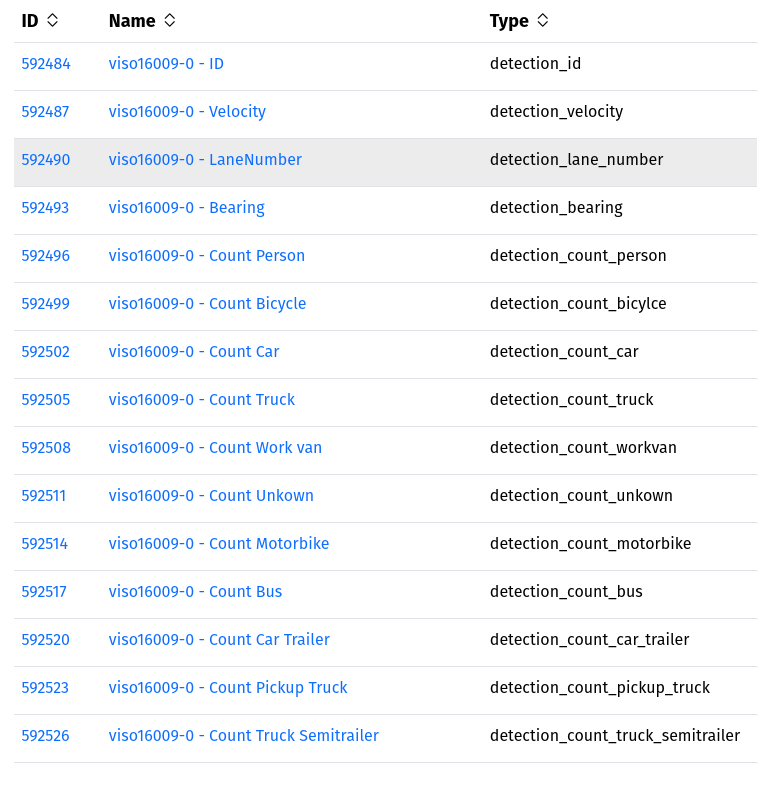
There will also be functions created for detection_id, velocity, bearing and lane number. 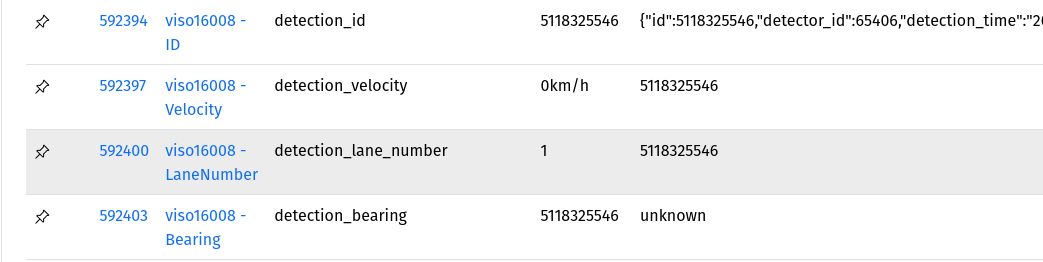
Installation settings
Installations need to be manually set up in IoT Open for each Trafficweb group that should be monitored. Set metadata trafficweb.group_id on the installation to the corresponding Trafficweb group_id to make it possible for the manager to detect the installation and create devices and functions. 